

To check if your EDT (Essential Driver Training) lessons have been uploaded, follow these steps:
- Log in to My EDT Portal:
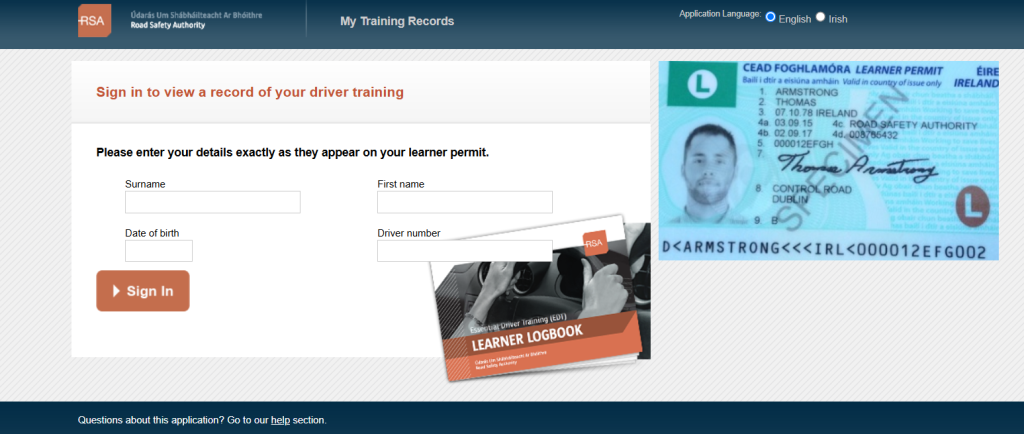
Visit the official RSA My EDT portal (https://www.rsa.ie/myedt) and log in using your learner permit details, after you click link to portal you will be met with this screen.
- Check Your Progress:
Once logged in, you will be able to view your EDT lesson progress. The portal will display all the lessons that have been completed and uploaded by your Approved Driving Instructor (ADI).

- Contact Your ADI:
If you notice any missing lessons or discrepancies, contact your driving instructor to confirm that they have submitted the lesson details. - Verify with RSA:
If issues persist, you can contact the RSA customer service team for further assistance.
Make sure your instructor is an RSA-approved ADI to ensure proper lesson are uploaded.
Be safe on the road, review your driving and protect yourself, recommended product for all our learners use code TONY610

Leave a Reply